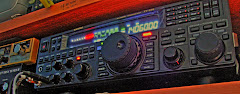
Quando se assinala 1 ano da morte do nosso colega e amigo João Costa, CT1FBF, aqui fica um dos muitos apontamentos que tenho com ele, aquando da visita do Jordi, EA3EZG
segunda-feira, 14 de março de 2022
Visita a Portugal de EA3EZG


sábado, 26 de fevereiro de 2022


terça-feira, 6 de julho de 2021
Xiegu G90 and the COMM Lost problem
No primeiro dia de teste do meu recente Xiegu G90, tive uma agradavel surpresa:
Após ligar a chave e morse no local errado, o radio comecou a apitar sem parar, e apareceu uma mensagem no quadrante a dizer COMM LOST

Após varias tentativas de re-inicar o equipamento, retirar o painel....... a solução seria, recarregar firmware.
Mas para não me precipitar, contactei o apoio a cliente de radioditty (support@radioddity.com), que 30m depois tinha uma possivel solução, com uma explicação:
The described situation does happen whenever the communication between the Base-unit (that the part that connects to the power and the antenna) and the Display-unit (that´s the front part with all the operation controls) can not be established. Such thing often does happen, if the blue USB-cable had been connected between G90 and PC before the G90 had been turned on. However nothing to worry about. Together we´ll get you going!
It is now required to update the Base-unit and the Display-Unit. Whilst having to do that anyhow, I´d advise to update it with version 1.75 as version 1.77 (which quite likely is on your G90) unfortunately turned out to have some bugs. A new version is expected within the next weeks (due to Covid-19 that had been delayed).
OK, back to your G90:
All the firmware, software, and user manuals can be found in the Support area on our official website by the following steps:
www.radioddity.com->Support->
As for the G90 you will get the following:

Download V1.75 at: https://radioddity.s3.
Within the archive you will find everything needed (files, documentation, program, ...) to perform the update. Please follow exactly the instructions as given. I personally often forget to checkmark the '1K Option' when doing the XModem filetransfer which causes the update to fail.
After doing the update for both parts (Base-unit as well as Display-Unit), turn off the G90, fully disconnect it from the power supply, wait a few seconds before you reconnect it to the power supply.
Press the FUNC-key and keep it depressed. Then, additionally momentarily press the power button to power on the radio. You will be asked if you want to perform a 'Main Reset'. Release the FUNC button. Confirm the question regarding 'Main Reset' by pressing the PRE/ATT button (YES).
Now your G90 should be fine and waiting for you to enjoy.
Whenever you turn off your G90, remove any TRS plug (from the blue USB-cable) that might have been inserted in one of the communication
-ports (Base-Unit 3.5mm TRS 'COMM' socket, Display-unit: bottom left side 3.5mm TRS socket).
-ports (Base-Unit 3.5mm TRS 'COMM' socket, Display-unit: bottom left side 3.5mm TRS socket).
No meu caso, foi so necessário efetuar Upload de firmware da main-unit.
espero que este meu relato possa ajudar possiveis utilizadores com o mesmo problema que eu tive.
espero que este meu relato possa ajudar possiveis utilizadores com o mesmo problema que eu tive.
73's de CT1GFQ
sábado, 26 de janeiro de 2019
quinta-feira, 29 de novembro de 2018
Adicionar contactos no QRZ.com
Acessar o site: www.qrz.com, fazer login, e no
lado direito carregar no indicativo e depois em LOGBOOK

Escrever o indicativo a adicionar no log, e carregar em ADD QSO


Escrever o indicativo a adicionar no log, e carregar em ADD QSO

Escrever todos os dados do QSO, e verificar todas as janelas:
QSO Info, Receiver Info, Sender Info, QSO Info, e corrigir o necessário.
QSO Info, Receiver Info, Sender Info, QSO Info, e corrigir o necessário.
No Final carregar em SAVE

QSO adicionado ao LogBook.

Espero de alguma forma ter ajudado.
73's de CT1GFQ
73's de CT1GFQ
https://www.youtube.com/user/carlosfonsecaalmada/videos
https://secure.clublog.org/logsearch/CT1GFQ
https://secure.clublog.org/logsearch/CT1GFQ
segunda-feira, 15 de outubro de 2018


Assinar:
Postagens (Atom)