domingo, 6 de setembro de 2026

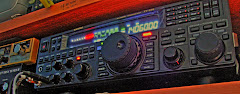
YAESU FT-891 KEYER MEMORY SETTING

 YAESU FT-891 KEYER MEMORY SETTING

1º ATIVAR A FUNÇÃO REC:

  • Mantenha premida a tecla [F] para entrar no Menu Principal.
  • Rode o botão MULTI até encontrar o menu 05-11 [REC SETTING].
  • Clique no botão MULTI, mude a opção para ENABLE e clique no botão novamente para confirmar.
  • 2º ESCOLHER ENTRE TEXTO E MENSAGEM VOZ:

  • Vá até aos menus entre 04-07 e 04-11 (que correspondem a CW MEMORY CH1 até CH5).
  • Selecione o canal que quer configurar e altere para:
    • TEXT: Se quiser escrever letra por letra usando o botão do rádio.
    • MESSAGE: Se quiser gravar o áudio/ritmo diretamente batendo no seu manipulo Morse. 
    3º GRAVAR A MENSAGEM:

  • COLOCAR O RADIO EM MODO CW
  • NA TECLA F, IR ATÉ AO MENU: REC SETTINGS.
  • ATIVAR O "MEM" QUE APARECE NO ECÃN A PALAVRA "REC"
  • RODAR ATÉ AO CH1-CH5 PARA ESCOLHER O CANAL A GRAVAR.


  • NÃO ESQUECER DE VOLTAR AO MENU PRINCIPAL 05-11 [REC SETTING], E COLOCAR DISABLE.

    quinta-feira, 2 de abril de 2026

    Repetidor meshcore - UPDATE via OTA

     Para todos os que têm repetidores na rede Meshcore, este passo a passo pode ser util.

    Nota: Não sou em nada expert nesta matéria, simplesmente descrevo com base naquilo que me foi ensinado por quem entende e que correu bem da minha parte.


    HELTEC  T114

    Antes de tudo deves confirmar que já colocaste o Bootloader no T114


    -> Fazer o download do firmware (NUNCA USAR O MERGE PARA UPDATE)

    -> Fazer login no repetidor via cliente.

    -> Na linha de comandos escrever START OTA

    -> Abrir a APP DFU

    -> Seleccionar Ficheiro -> Device -> Upgrade.

    -> Quando der DONE ou Completo, está feito.


    LILYGO - TTGO (ESP32)

    Não necessita BootLoader.

    -> Antes de tudo fazer o download do firmware (NUNCA USAR O MERGE PARA UPDATE)

    -> Fazer login no repetidor via cliente.

    -> Na linha de comandos escrever START OTA

    -> Vai dar o endereço: 192.168.4.1/update

    -> No wifi do phone, selecionar a rede de UPDATE & ligar

    -> No browser, escrever: 192.168.4.1/update

    -> Selecionar o ficheiro

    -> Quando aparecer completo está feito.

    Este DIY irá ser atualizado.

    02-ABR-2026

    sábado, 15 de abril de 2023

    3D PRINT - GCODE para a Creality Ender3Pro

     3D PRINT - GCODE para a Creality Ender3Pro

    Como diz o titulo, aqui fica o G-code que estou a utilizar na Creality Ender3Pro.

    Nota: Como tenho o AutoLev tem o G29, a seguir ao G28 no Start Gcode.

    (Utilizo no Cura e no Pursa Slicer)

    START GCODE:

    ; Ender 3 Custom Start G-code

    G92 E0 ; Reset Extruder

    G28 ; Home all axes

    G29

    G1 Z2.0 F3000 ; Move Z Axis up little to prevent scratching of Heat Bed

    G1 X0.1 Y20 Z0.3 F5000.0 ; Move to start position

    G1 X0.1 Y200.0 Z0.3 F1500.0 E15 ; Draw the first line

    G1 X0.4 Y200.0 Z0.3 F5000.0 ; Move to side a little

    G1 X0.4 Y20 Z0.3 F1500.0 E30 ; Draw the second line

    G92 E0 ; Reset Extruder

    G1 Z2.0 F3000 ; Move Z Axis up little to prevent scratching of Heat Bed

    G1 X5 Y20 Z0.3 F5000.0 ; Move over to prevent blob squish


    END GCODE:


    G91 ;Relative positioning

    G1 E-2 F2700 ;Retract a bit

    G1 E-2 Z0.2 F2400 ;Retract and raise Z

    G1 X5 Y5 F3000 ;Wipe out

    G1 Z10 ;Raise Z more

    G90 ;Absolute positioning


    G1 X0 Y{machine_depth} ;Present print

    M106 S0 ;Turn-off fan

    M104 S0 ;Turn-off hotend

    M140 S0 ;Turn-off bed


    M84 X Y E ;Disable all steppers but Z


    Basicamente:
    A impressora primeiro aquece, depois faz o auto nivelamento, depois faz a linha lateral.
    Imprime. No Final, sobe um pouco o Z, a mesa vem para a frente. E desliga os "aquecimentos" & steppers. 


    Espero que dê para ajudar alguem.


    Nota:
    Segue abaixo os G-Codes Originais do Pursa Slicer.


    START GCODE:

    G90 ; use absolute coordinates

    M83 ; extruder relative mode

    M140 S{first_layer_bed_temperature[0]} ; set final bed temp

    M104 S150 ; set temporary nozzle temp to prevent oozing during homing

    G4 S10 ; allow partial nozzle warmup

    G28 ; home all axis

    g29

    G1 Z50 F240

    G1 X2 Y10 F3000

    M104 S{first_layer_temperature[0]} ; set final nozzle temp

    M190 S{first_layer_bed_temperature[0]} ; wait for bed temp to stabilize

    M109 S{first_layer_temperature[0]} ; wait for nozzle temp to stabilize

    G1 Z0.28 F240

    G92 E0

    G1 Y140 E10 F1500 ; prime the nozzle

    G1 X2.3 F5000

    G92 E0

    G1 Y10 E10 F1200 ; prime the nozzle

    G92 E0


    END GCODE:

    {if max_layer_z < max_print_height}G1 Z{z_offset+min(max_layer_z+2, max_print_height)} F600 ; Move print head up{endif}

    G1 X5 Y{print_bed_max[1]*0.8} F{travel_speed*60} ; present print

    {if max_layer_z < max_print_height-10}G1 Z{z_offset+min(max_layer_z+70, max_print_height-10)} F600 ; Move print head further up{endif}

    {if max_layer_z < max_print_height*0.6}G1 Z{max_print_height*0.6} F600 ; Move print head further up{endif}

    M140 S0 ; turn off heatbed

    M104 S0 ; turn off temperature

    M107 ; turn off fan

    M84 X Y E ; disable motors


    sábado, 25 de março de 2023

    DXLOG - ICOM IC-7610 INTERFACE CONFIGURATION

     Que este pequeno artigo sirva, para quem como eu, necessita de configurar o programa DXLOG (para concursos /Contest), para funcionar com o keyer interno do Icom IC-7610 sem necessidade de keyer externo.


    Para tal, basta ter configurado o interface desta maneira:

    Acessar via: OPTIONS -> CONFIGURE INTERFACES

    1º Selecionar a porta correspondente (No meu caso COM4), e Radio 1


    Selecionar SETUP


    Importante, No KEYING & CONTROL, tem que selecionar o RTS (PIN7) como CW. Se fizerem esta seleção no DTR (PIN4) não funciona.


    Espero ter ajudado.


    Propostas de melhoria sempre aceites.

    73's de CT1GFQ

    segunda-feira, 14 de março de 2022

    Visita a Portugal de EA3EZG

    Quando se assinala 1 ano da morte do nosso colega e amigo João Costa, CT1FBF, aqui fica um dos muitos apontamentos que tenho com ele, aquando da visita do Jordi, EA3EZG


    sábado, 26 de fevereiro de 2022

     Após 25 anos como radioamador, eis que sou presenteado com os primeiros diplomas DXCC da ARRL


    terça-feira, 6 de julho de 2021

    Xiegu G90 and the COMM Lost problem

     No primeiro dia de teste do meu recente Xiegu G90, tive uma agradavel surpresa:

    Após ligar a chave e morse no local errado, o radio comecou a apitar sem parar, e apareceu uma mensagem no quadrante a dizer COMM LOST


    Após varias tentativas de re-inicar o equipamento, retirar o painel....... a solução seria, recarregar firmware.
    Mas para não me precipitar, contactei o apoio a cliente de radioditty (support@radioddity.com), que 30m depois tinha uma possivel solução, com uma explicação:


    The described situation does happen whenever the communication between the Base-unit (that the part that connects to the power and the antenna) and the Display-unit (that´s the front part with all the operation controls) can not be established. Such thing often does happen, if the blue USB-cable had been connected between G90 and PC before the G90 had been turned on. However nothing to worry about. Together we´ll get you going!

    It is now required to update the Base-unit and the Display-Unit. Whilst having to do that anyhow, I´d advise to update it with version 1.75 as version 1.77 (which quite likely is on your G90) unfortunately turned out to have some bugs. A new version is expected within the next weeks (due to Covid-19 that had been delayed).

    OK, back to your G90:
    All the firmware, software, and user manuals can be found in the Support area on our official website by the following steps:
    www.radioddity.com->Support->choose the brand of your radio->click on your radio model name
    As for the G90 you will get the following:


    Within the archive you will find everything needed (files, documentation, program, ...) to perform the update. Please follow exactly the instructions as given. I personally often forget to checkmark the '1K Option' when doing the XModem filetransfer which causes the update to fail.

    After doing the update for both parts (Base-unit as well as Display-Unit), turn off the G90, fully disconnect it from the power supply, wait a few seconds before you reconnect it to the power supply.
    Press the FUNC-key and keep it depressed. Then, additionally momentarily press the power button to power on the radio. You will be asked if you want to perform a 'Main Reset'. Release the FUNC button. Confirm the question regarding 'Main Reset' by pressing the PRE/ATT button (YES).

    Now your G90 should be fine and waiting for you to enjoy.

    Whenever you turn off your G90, remove any TRS plug (from the blue USB-cable) that might have been inserted in one of the communication


    -ports (Base-Unit 3.5mm TRS 'COMM' socket, Display-unit: bottom left side 3.5mm TRS socket).

    No meu caso, foi so necessário efetuar Upload de firmware da main-unit.

    espero que este meu relato possa ajudar possiveis utilizadores com o mesmo problema que eu tive.

    73's de CT1GFQ


    quinta-feira, 29 de novembro de 2018

    Adicionar contactos no QRZ.com

    Acessar o site: www.qrz.com, fazer login, e no lado direito carregar no indicativo e depois em LOGBOOK


    Escrever o indicativo a adicionar no log, e carregar em ADD QSO


    Escrever todos os dados do QSO, e verificar todas as janelas:
    QSO Info, Receiver Info, Sender Info, QSO Info, e corrigir o necessário.
    No Final carregar em SAVE


    QSO adicionado ao LogBook.


    Espero de alguma forma ter ajudado.

    73's de CT1GFQ
    https://www.youtube.com/user/carlosfonsecaalmada/videos
    https://secure.clublog.org/logsearch/CT1GFQ


    segunda-feira, 15 de outubro de 2018

    quinta-feira, 22 de outubro de 2015

    My Last QSL card Received via Eqsl.cc 


    VA3VF


    LU8DQS


    KV4HV


    K5LDA


    K2RH

    DO2KHG
    F8APH


    73'S DE CT1GFQ


    sexta-feira, 16 de outubro de 2015

    Uma QSL de um radio escuta. Porque ainda se faz radio-escuta pelo mundo Fora....

    segunda-feira, 30 de janeiro de 2012

    My K3Y operation as CT1GFQ (PRT/EU)

    Call CT1GFQ
    Name Carlos Fonseca
    SKCC nr.466
    Locator IM58ko
    City Seixal
    Country Portugal (EU)


    Call Date Time QRG SKCC Nr, RST

    AB1BW 04-Jan-12 1915 14,058 2468C 559
    NW2K 04-Jan-12 1919 14,058 7330C 559
    EA1CCW 04-Jan-12 1942 14,058 7107C 559
    CT1GZB 04-Jan-12 1942 14,058 8178 559
    NP3CW 06-Jan-12 1805 14,053 2632 559
    K1NNJ 06-Jan-12 1816 14,053 2937T 559
    K2TV 06-Jan-12 1820 14,053 4303 559
    WA1AR 06-Jan-12 1914 14,053 4079T 559
    VE3CWU 06-Jan-12 1921 14,053 5133T 559
    W1KX 09-Jan-12 1743 14,052 797C 559
    DL9YCS 09-Jan-12 1812 14,058 7150T 559
    WA3SLW 09-Jan-12 1848 14,058 2729 559
    N8AMM 09-Jan-12 1954 14,054 3198T 559
    K4OSO 11-01-2012 1840 14,053 180T 559
    K1NIT 11-01-2012 1900 14,049 3446T 559
    N5EDL 11-01-2012 1949 14,054 5081T 559
    F5DE 16-01-2012 1814 14,053 6247T 559
    K8PWL 20-01-2012 1839 14,054 2809T 559
    W1OOO 20-01-2012 1845 14,054 3552T 559
    EA3NO 20-01-2012 1858 14,054 6653T 559
    N1VWD 20-01-2012 1915 14,048 2143T 559
    PA1FOX 20-01-2012 1924 14,048 8265 559
    W4PCA 20-01-2012 1930 14,048 1590T 559
    KC0RSX 20-01-2012 1938 14,048 14 559
    EA7EGU 20-01-2012 1944 14,048 159 559
    AK9A 20-01-2012 1953 14,047 5902 559
    W1KX 23-01-2012 1844 14,046 797C 559
    YU7DZ 23-01-2012 1855 14,047 7983C 559
    AI4MS 25-01-2012 1902 14,048 8652 559
    4X1WQ 30-01-2012 1811 14,054 8354 559
    KC4HCH 30-01-2012 1820 14,054 7688T 559
    IW1BCO 30-01-2012 1830 14,054 8669 559
    TA2DA/0 30-01-2012 1845 14,054 8373 559
    W2LOS 30-01-2012 1906 14,054 2729T 559

    Total 33

    segunda-feira, 31 de janeiro de 2011

    My SKCC list of Contacts :

    23-04-2008 40M G0RDO #2133T (09-02-2011 20M)
    23/04/2008 40M 9A2VJ #2533 http://www.qsl.net/9a2vj
    23-04-2008 40M UU1AZ #4344 (22-04-2008 20M)
    29-01-2011 20M KB1H #7264 http://www.qsl.net/kb1h/
    29-01-2011 20M K3Y/8
    31-01-2011 20M DL9YCS #7150C (03-02-2011)
    31-01-2011 20M W4TMW #6184T
    02-02-2011 20M KC4MKD #6771
    02-02-2011 20M S52CC #5011C
    02-02-2011 20M KB2RAW #6539T http://www.youtube.com/user/Bill1960D
    03-02-2011 20M IS0RDY #7290
    03-02-2011 20M W5ZR #2931T
    03-02-2011 20M ON7FR #1378
    03-02-2011 20M NY3C #7255T
    03-02-2011 20M NW2K #7330C
    03-02-2011 20M K0MVJ #4258
    03-02-2011 20M W2DEC #6668T http://w2dec.com/index.php
    04-02-2011 20M AC2C #2748T http://www.ac2c.net/
    07-02-2011 20M DG3YCC #3400
    07-02-2011 20M LZ1PJ #2069 http://www.qsl.net/lz1pj/
    07-02-2011 20M K4CNW #2961T http://k4cnw.com/
    07-02-2011 20M F6HKA #6069T
    08-02-2011 20M OH7QR #6379C
    08-02-2011 20M AE5VB #7283T
    09-02-2011 20M TF3G #7664
    14-02-2011 20M ES2NO #6665
    18-02-2011 20M OH5FNI #6378
    25-02-2011 20M F8BNU #7681
    25-02-2011 20M S52CC #5011
    25-02-2011 15M AB7KT #4500T
    28-02-2011 20M KL7IDA #2713
    28-02-2011 20M M6TTH #7344
    04-03-2011 20M VK4TJ #4474
    04-03-2011 20M VE3CWU #5133T
    10-05-2011 20M W3IQ #6891T
    10-05-2011 20M K0RUW #1702T
    10-05-2011 20M W4FOA #641T
    10-05-2011 20M K4CML #224T
    10-05-2011 20M AE6DH #3257T
    10-05-2011 20M AD7AY #3060T
    16-05-2011 20M YU7AE #5790
    16-05-2011 20M 2E0JCY #3605


    My QSL card 100% via BURO !

    quarta-feira, 6 de maio de 2009

    Log CW Abril 2009

    08 ABR 40m CT1ZQ
    08 ABR 40m LY7M
    09 ABR 20m ON3QA
    09 ABR 20m RA3DUO
    09 ABR 20m IK1OOK
    09 ABR 20m DR2DBU
    09 ABR 20m IK3VVD
    09 ABR 20m GB4UBJ/P
    10 ABR 20m IM6IWT
    10 ABR 20m G0KSS
    10 ABR 20m DK4SM
    10 ABR 20m DJ7UP
    10 ABR 20m SP3DGV
    10 ABR 20m DL6ZAG
    10 ABR 20m OK2PDY
    10 ABR 20m DJ5AU
    10 ABR 20m DK4HH
    10 ABR 20m WB4DKF
    10 ABR 20m AE3A/2
    10 ABR 20m VE1HH
    10 ABR 20m LZ1AQ
    12 ABR 20m S51CL/QRP
    12 ABR 20m PA0IKE
    12 ABR 20m S59DCD
    12 ABR 20m DL9MWG
    13 ABR 20m IT9IFI
    13 ABR 20m OE1WED/8
    13 ABR 20m G4KLD
    13 ABR 20m KZ1H
    13 ABR 20m DJ1PQ
    13 ABR 40m CT1ZQ
    13 ABR 20M YO6BLU

    My QSL 100% via buro or LoTw ( If LoTW, please send also via Buro ).
    Thanks.
    Carlos, CT1GFQ

    quarta-feira, 1 de abril de 2009

    Log de CT1GFQ - CW

    02Mar 40m LZ17ARDF - QSL via LZ1ZF (http://www.ardf2009.eu/)
    02Mar 40m KD2RD
    02Mar 40m TF3Y QSL Info:LOTW, EQSL, BUREAU OR DIRECT (http://www.tf3y.net/)
    05Mar 40m E77DX QSL Info:E77E BUREAU OR DIRECT OR OE1EMS DIRECT ONLY (E77E)
    06Mar 40m CT3/DJ0IF
    10Mar 40m OH2XX (http://www.oh2u.com/)
    10Mar 40m LZ2vu
    13Mar 40m Z30mcwg QSL Info:Z35M
    24Mar 40m 4O8A QSL Info:S50A

    My QSL 100% via buro or LoTw ( If LoTW, please send also via Buro ).
    Thanks.
    Carlos, CT1GFQ

    segunda-feira, 2 de março de 2009

    Log Book de CW Fevereiro 2009


    Aqui fica a minha lista de contactos em CW do mês de Fevereiro:

    02 Fev 40m TM9FL qsl via F5KFL

    05 Fev 40m OT4A http://www.qsl.net/on4aek/index.html/

    05 Fev 40m CT1CZT http://www.nra.pt/

    06 Fev 40m F5SST

    10 Fev 40m Z30U Qsl Via direct

    17 Fev 40m II2CV http://www.aricinisello.it/ QSL: IW2HAJ VIA DIRECT OR BUREAU - PLEASE NO EQSL OR LOTW

    18 Fev 40m N2KW

    19 Fev 40m S57Z Only Direct, not replay via buro.

    19 Fev 40m II2CV

    20 Fev 40m DR0X QSL Info:DL2SD DIRECT AND BUREAU http://www.dk0bc.de/

    20 Fev 40m 9A48IFATCA QSL: VIA 9A4WW All QSL cards will be sent via Buro. Direct is OK (Include SASE, IRC or 2 green stamps!) http://www.ifatca2009.com/

    27 Fev 40m Z30MCWG qsl via Z35m

    27 Fev 40m LZ09BR qsl via LZ1KZA

    28 Fev 10m ON7ZG

    28 Fev 10m DH2DAM http://www.mydarc.de/dh2dam

    28 Fev 10m ZS6EU


    My QSL 100% via BURO.
    Direct QSL: send me an e-mail to instructions.
    ct1gfqgrupos{at}gmail.com or ct1gfq{at}netcabo.pt
    Please no $$$ or IRC's !

    sexta-feira, 27 de fevereiro de 2009

    Log Book de CW Janeiro 2009

    Aqui fica a minha lista de contactos em CW do mês de Janeiro:


    02-Jan 40m S53M Web Page:http://www.s53m.com

    02-Jan 40m E71A

    03-Jan 40m HE8TMW qsl via: HB9TMW Web Page: http://www.qrz.com/hb9tmw

    03-Jan 40m E74A QSL Info:K2PF

    03-Jan 40m LY1000w QSL Info:VIA LY3W ALSO EQSL, LOTW, BIURO, DIRECT

    11-Jan 10m CT2GRF Via Direct or Eqslcc ( Pse No Buro,not Member )

    13-Jan 40m IK2ZJR


    My QSL 100% via BURO.
    Direct QSL: send me an e-mail to instructions.
    Please no $$$ or IRC's !

    Infos via www.qrz.com e www.dxfuncluster.com

    terça-feira, 4 de novembro de 2008